【技术贴】分享一个用 SDL2.0 做的小程序
sdl吧
全部回复
仅看楼主
level 4
riseOFchinese 楼主
【摘要】编程要极简,程序设计也一下
The advantage of SDL2.0 engine is sample, light, and beatiful but yet powerful. This is the reason I am still keen on this little library to serve with my data visualization or idea testings.
In the coming month, I will take some time to write SDL codes piece by piece to achieve the visual effect that I showed below.
Hope SDL fans will give me thumb UP!
2017年08月25日 22点08分 1
level 4
riseOFchinese 楼主
My application is easy to design but is of practical use.
I don't even touch the sprite in rendering and barely use texture and surface. The fundamental idea behind this app is simply the default black screen and white spots dynamically moving around the screen.
Honestly, I am not sure how long will I take to complete my sharing. But I do appricate all of you would participate in this ever uploading sharing. Right, let us get down some real business, shall we? Too many talks might not be sound for you.
Today I will just explain a basic code that is used to create simple black window on your screen. Some similar code actually can be found online elsewhere. But hey, the big success starts from your first step. More importantly, any complex and abstract idea can be possible to tear apart in pieces. Then the work is just to look for the solution of each of them before you intergret them together!!! That is the key and that is the only key for you to climb upto the top class.
SDL syntax sometimes is very tedious as each loading from resource is better to check whether or not is loaded successfully. Here I will skip this kind of rediculous checks as many as I can. I don't do this which does not suggest you not to do so in all kinds.
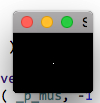
Once you have done this, there will be a tiny black window poping up on your screen, like
That is for today's sharing. Hope you enjoy, Hope you learn today.
If you have a question related to this sharing, leave your message down below.
2017年08月26日 12点08分 4
level 4
riseOFchinese 楼主
The code listed in the 4th floor is not very good to demonstrate my code. Actually it is very bad.
In order to keep this series alive, I decide to re-write it again to make the code as net as possible. The updated code is compiled successfully before copying them over here. I still cannot guarantee every single line is absolutely necessary to serve the entire project. There might be a better solution since I am a total noobs in the SDL library.
If my poor understanding confuses you in the application of SDL in C++, I apology for any inconvenience I cause to you.
2017年08月30日 13点08分 7
level 4
riseOFchinese 楼主
Today, I add a static white point in the origin of the black screen.
I knew it looks less efficient to draw a single point by using
uint32_t* buf = new uint32_t [ screen_width * screen_height ] { 0 };
But hey this is just easier for my further extension from this code.
After you build and run, there is a shiny little star in the centre of the black background.
If you see the spot no way near the centre, please double check your location of this white point that you assign to.
In the next tutorial, we will make this point moving... [ to be continue ]
2017年08月30日 13点08分 8
1