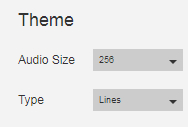
懒得动手的用户直接把这段复制到预设里就好了(路径别忘改了)
{
"audioprocessing": true,
"audiosetting": null,
"backgrounad": null,
"background": null,
"backgroundcolor": "0 0 0",
"backgroundcoloropacity": 0,
"backgroundimageb": "F:/video/图片/壁紙/key社20周年网页背景.jpg",
"backgroundimagef": "F:/video/图片/20th_menu_logo(2).png",
"backgroundvideo": false,
"backgroundvideonumber": 1,
"bars": null,
"barwidth": 5,
"bluroption": 0,
"bottombounceopacity": 100,
"bottomlinecolor": "0 0.3411764705882353 0.6627450980392157",
"bottomlineopacity": 29,
"bouncebars": true,
"bouncespeed": 100,
"canvasoptions": 1,
"greyscaleoption": 0,
"htmlcolor": "0 0 0",
"huerotate": 0,
"imageoptions": 2,
"indibargap": 5,
"indibarheight": 5,
"invertoption": 0,
"leftaudio": false,
"lines": null,
"linewidth": 5,
"main": null,
"maxheightbot": 519,
"maxheighttop": 519,
"normalize": true,
"normalizeresponce": 25,
"pinknoise": true,
"reflection": true,
"reflection1": null,
"reverseleft": false,
"reverseright": false,
"schemecolor": "0 0 0",
"selectaudio": 3,
"text1": null,
"text2": null,
"topbouncecolor": "1 0 0",
"topbounceheight": 1,
"topbounceopacity": 100,
"toplinecolor": "0 0.32
15686274509
804 0.8392
15686274509
8",
"toplineopacity": 100,
"usergap": 0,
"usermainhorzpostion": 0,
"usermainvertpostion": 0,
"userreflecthorzpostion": 0,
"userreflectvertpostion": 0,
"waves": null
}
2019年10月05日 07点10分
8