level 3
新建了字体
写了这些:PFont font = loadFont("MicrosoftYaHei-25.vlw");
2017年04月10日 10点04分
3
level 3
结果说变量“font”没被引用?大概是这个意思吧..
2017年04月10日 10点04分
4

level 6
要在调用 text( ) 写字之前,加一句:
textFont( font) ; 来切换字体。
2017年04月11日 09点04分
6
谢谢你
![[哈哈]](/static/emoticons/u54c8u54c8.png)
~
等等...知乎你是不是叫暗流涌动啊..
2017年04月15日 02点04分
我试了一下..加上后..连方框都没了.彻底没文字了
![[泪]](/static/emoticons/u6cea.png)
level 3
void setup() {
size(400, 400);
}
void draw() {
background(#FFEE31);
pushMatrix();
translate(200, 200 - 60);
//eyes
PVector mouse = new PVector(mouseX, mouseY);
mouse.sub(200, 200 - 60, 0);
mouse.limit(7);
fill(0);
noStroke();
rectMode(CENTER);
rect(-1*40+mouse.x, -15+mouse.y, 15, 25, 8);
if (mousePressed)
rect(40+mouse.x, -15+mouse.y, 28, 10, 5);
else
rect(40+mouse.x, -15+mouse.y, 15, 25, 8);
//mouth
noFill();
strokeWeight(12);
stroke(0);
arc(0, 0, 150, 120, PI/4, PI-PI/4);
popMatrix();
//text
//PFont font = loadFont("MicrosoftYaHei-25.vlw");
textSize(25);
textAlign(CENTER);
//textFont(font);
text("ASD~", width/2, height/2+100);
}
2017年04月17日 06点04分
8

level 1
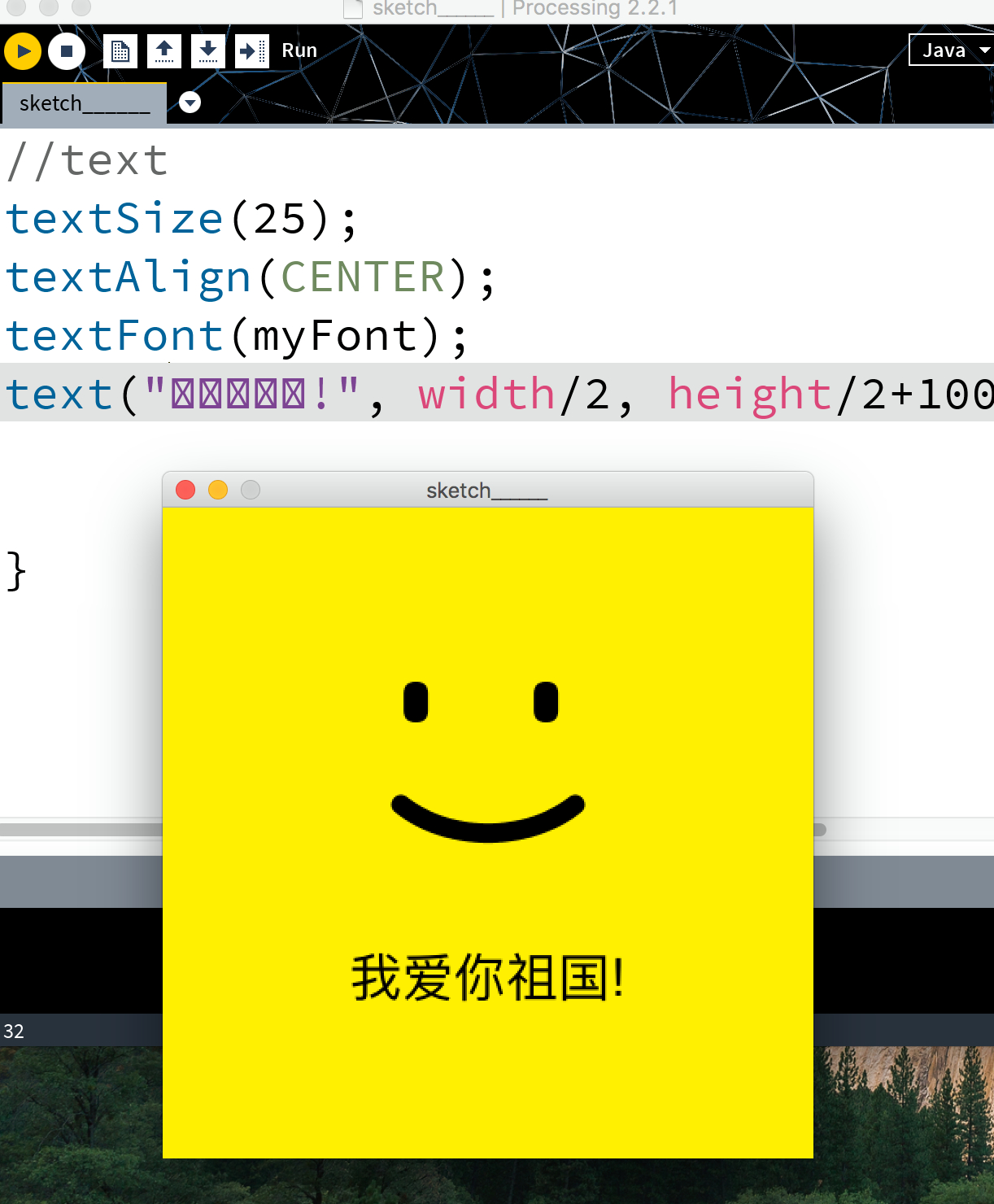
PFont myFont;
void setup(){
size(400, 400);
myFont = createFont("fangsong", 32);
}
void draw(){
background(#FFEE31);
pushMatrix();
translate(200, 200 - 60);
//eyes
PVector mouse = new PVector(mouseX, mouseY);
mouse.sub(200, 200 - 60, 0);
mouse.limit(7);
fill(0);
noStroke();
rectMode(CENTER);
rect(-1*40+mouse.x, -15+mouse.y, 15, 25, 8);
if(mousePressed)
rect(40+mouse.x, -15+mouse.y, 28, 10, 5);
else
rect(40+mouse.x, -15+mouse.y, 15, 25, 8);
//mouth
noFill();
strokeWeight(12);
stroke(0);
arc(0, 0, 150, 120, PI/4, PI-PI/4);
popMatrix();
//text
textSize(25);
textAlign(CENTER);
textFont(myFont);
text("我爱你祖国!", width/2, height/2+100);
}
2017年06月19日 14点06分
9