
level 3
崇拜畅快
楼主
another way is to use the Select by warning in Analysis Log,then place the elements on a new layer.
1- Create a new layer for elements
2- Right-click in Analysis Log, and click "Select By Warning" and select the warning number 98731
3- Assign elements to new layer.
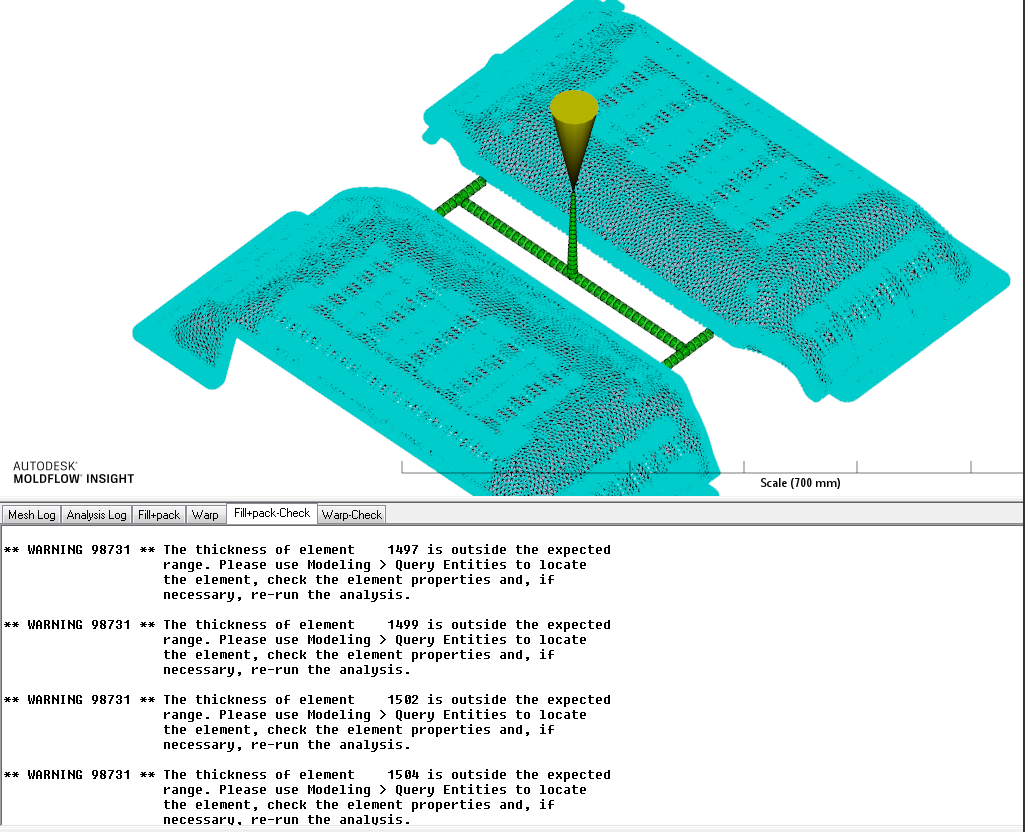 You can then turn off other layers.
Display thickness, and compare areas and adjust thickness.
You can then find and edit thickness for Dual Domain elements from Automatic to Specified.
Changing the thickness on a Dual Domain mesh 。
分析时遇到这种问题的解决方法。
2016年12月14日 08点12分
1
1- Create a new layer for elements
2- Right-click in Analysis Log, and click "Select By Warning" and select the warning number 98731
3- Assign elements to new layer.
You can then turn off other layers.Display thickness, and compare areas and adjust thickness.
You can then find and edit thickness for Dual Domain elements from Automatic to Specified.
Changing the thickness on a Dual Domain mesh 。
分析时遇到这种问题的解决方法。
![[玫瑰]](/static/emoticons/u73abu7470.png)