
level 4
iamdanielyin
楼主
系统环境:elementary OS 0.3.1 Freya (64-bit)
输入法:ibus
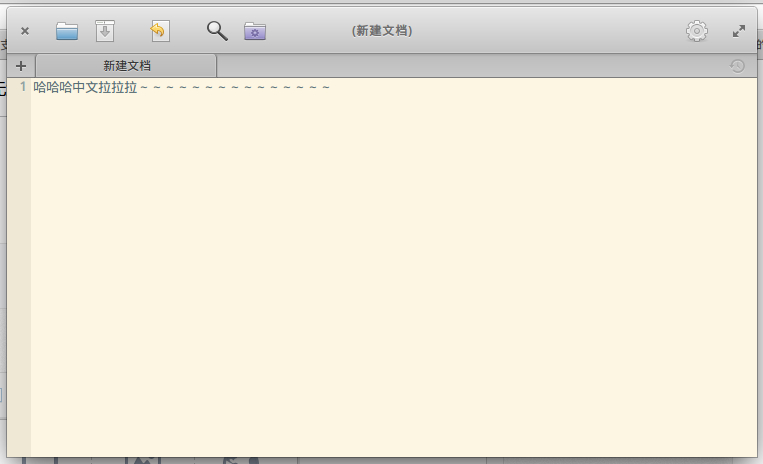
问题描述:Scratch无法输入中文
解决方法:
GTK_IM_MODULE="xim" scratch-text-editor
快捷方式配置:
/usr/share/applications/scratch-text-editor.desktop
Exec=env GTK_IM_MODULE="xim" scratch-text-editor %U
X-GNOME-Gettext-Domain=env GTK_IM_MODULE="xim" scratch-text-editor
完整配置文件如下:
[Desktop Entry]
Type=Application
Name=Scratch
Comment=Edit text files
GenericName=Text Editor
Exec=env GTK_IM_MODULE="xim" scratch-text-editor %U
Icon=accessories-text-editor
Terminal=false
Categories=GNOME;GTK;Utility;TextEditor;
Keywords=Notepad;IDE;Plain
MimeType=text/plain;
StartupNotify=true
Actions=NewWindow;NewDocument;AboutDialog;
X-GNOME-Gettext-Domain=env GTK_IM_MODULE="xim" scratch-text-editor
[Desktop Action NewDocument]
Name=New Document
Exec=scratch-text-editor --new-tab
[Desktop Action NewWindow]
Name=New Window
Exec=scratch-text-editor --new-window
[Desktop Action AboutDialog]
Exec=scratch-text-editor --about
Name=About Scratch
2015年09月07日 07点09分
1
输入法:ibus
问题描述:Scratch无法输入中文
解决方法:
GTK_IM_MODULE="xim" scratch-text-editor
快捷方式配置:
/usr/share/applications/scratch-text-editor.desktop
Exec=env GTK_IM_MODULE="xim" scratch-text-editor %U
X-GNOME-Gettext-Domain=env GTK_IM_MODULE="xim" scratch-text-editor
完整配置文件如下:
[Desktop Entry]
Type=Application
Name=Scratch
Comment=Edit text files
GenericName=Text Editor
Exec=env GTK_IM_MODULE="xim" scratch-text-editor %U
Icon=accessories-text-editor
Terminal=false
Categories=GNOME;GTK;Utility;TextEditor;
Keywords=Notepad;IDE;Plain
MimeType=text/plain;
StartupNotify=true
Actions=NewWindow;NewDocument;AboutDialog;
X-GNOME-Gettext-Domain=env GTK_IM_MODULE="xim" scratch-text-editor
[Desktop Action NewDocument]
Name=New Document
Exec=scratch-text-editor --new-tab
[Desktop Action NewWindow]
Name=New Window
Exec=scratch-text-editor --new-window
[Desktop Action AboutDialog]
Exec=scratch-text-editor --about
Name=About Scratch




![[狂汗]](/static/emoticons/u72c2u6c57.png) ,能不能给个详细的步骤,谢谢
,能不能给个详细的步骤,谢谢![[哈哈]](/static/emoticons/u54c8u54c8.png)

