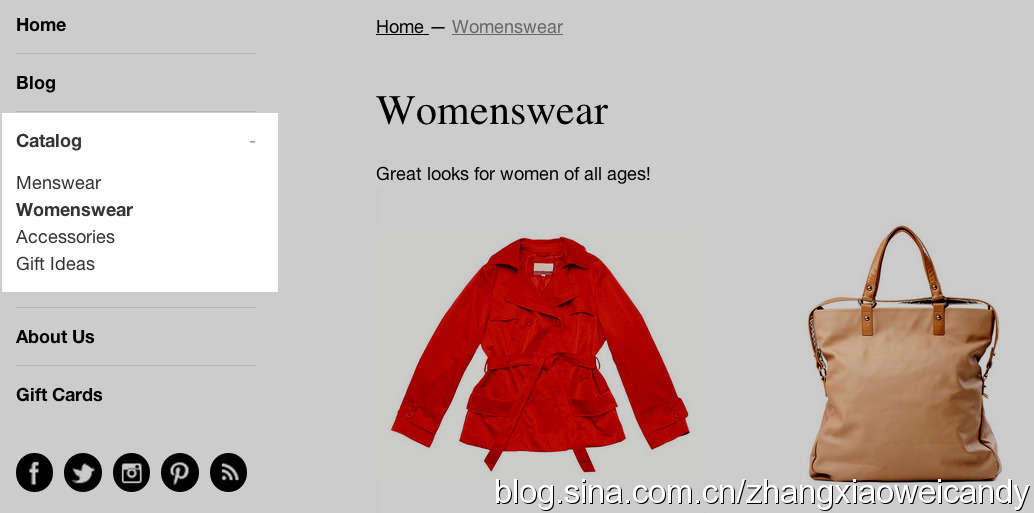
A collection is any group of products chosen by you, which have some feature in common that customers might look for when visiting your store. For example, your customers might be shopping for:
专辑就是一组由你挑选出来,有着共同特征的商品。这些特征可能是顾客在访问你的网站时需要搜寻的。
比如:
clothes specifically for men, women, or children男士,女士,小孩衣服。
items of a certain type, such as lamps, cushions, or rugs特定一类产品,如台灯,垫子,地毯。
items on sale 打折商品。
items in a certain size or color特定的尺码或颜色
seasonal products such as holiday cards and decorations.季节性产品如节日卡片或节日装饰。
Products can appear in any number of collections. Typically, you display your collections on your storefront, to help customers find what they're looking for without having to click through your whole catalog.商品可以被选入多个专辑。通常,你将专辑展示到店铺首页,可以帮助顾客快速找到他们需要的商品,而不用再去逐一点击商品目录。
Manual and automatic collections手动添加专辑,自动添加专辑When you add a new collection, you'll specify how products should be added to it. There are two options:当你添加了新的专辑,你需要指定产品被选入时,两种方法可以选择,
Manually
You add and remove products in a manual collection individually. Read more here.
手动添加
需要单个手动添加或移除。
Automatically
You can set up selection conditions to automatically include products that meet certain criteria. Read more here.
自动添加。
你可以设定一些选择标准,当产品达到这些标准时,会自动被选入专辑。
Working with collections
You manage collections through the Collections and Navigation pages of your store Admin. Follow these links to:
你可以在店铺后台Collections and Navigation页面对专辑进行管理。
Learn more about collections更多关于专辑
Add an automatic collection自动添加专辑
Add a manual collection手动添加专辑
Link a new collection to your site navigation将新专辑链接到网站导航
Edit a collection to update its details编辑专辑,更新细节
Delete a collection to remove it permanently永久删除专辑
Perform bulk actions to manage your collections批量管理专辑
自
http://docs.shopify.com/manual/your-store/collections

![[真棒]](/static/emoticons/u771fu68d2.png)