程序快捷方式
一些软件是“绿色软件”,解压即可运行,但菜单或桌面都没有快捷方式,直接打指令也不能启动,不知道是不是有安装方法,我是这样解决的。
以blender为例,blender程序文件夹:/home/jack/software/blender-2.72b-linux-glibc211-x86_64
1、在/usr/bin目录下建立软连接,使运行里面输入程序名可以直接启动
sudoln -s /home/jack/software/blender-2.72b-linux-glibc211-x86_64/blender/usr/sbin/blender
Alt+F2,输入blender就直接启动blender了
2、建立快捷方式
新建文件blender.desktop,输入下面内容:
[DesktopEntry]
Version=1.0
Exec=/home/jack/software/blender-2.72b-linux-glibc211-x86_64/blender
Name=Blender
Icon=/home/jack/software/blender-2.72b-linux-glibc211-x86_64/icons/scalable/apps/blender.svg
Terminal=false
Type=Application
Categories=Graphics
其中Name是本文件显示名字,Exec是可执行文件位置,Icon是图标位置,Categories是应用程序分类(放在菜单里面的显示位置,如办公、图形等分类)。保存后发现图标变了,双击即可打开应用程序。将文件拷到/usr/share/applications目录下:
sudocp Blender.desktop /usr/share/applications
开始菜单相关分类中就有了这个程序的快捷方式了。
注:Categories的值可以参考
http://standards.freedesktop.org/menu-spec/menu-spec-1.0.html,或者直接在某一分类的菜单项上右击->添加到桌面,然后用文本编辑器打开,参考相应Categories的设置值
详细请参考:
http://www.ibm.com/developerworks/cn/linux/l-cn-dtef/http://standards.freedesktop.org/desktop-entry-spec/desktop-entry-spec-1.0.html



![[呵呵]](/static/emoticons/u5475u5475.png)


![[太开心]](/static/emoticons/u592au5f00u5fc3.png) 谢谢!
谢谢!![[哈哈]](/static/emoticons/u54c8u54c8.png)






![[乖]](/static/emoticons/u4e56.png)

![[惊哭]](/static/emoticons/u60cau54ed.png) ,好吧,Wine比我想象的给力。
,好吧,Wine比我想象的给力。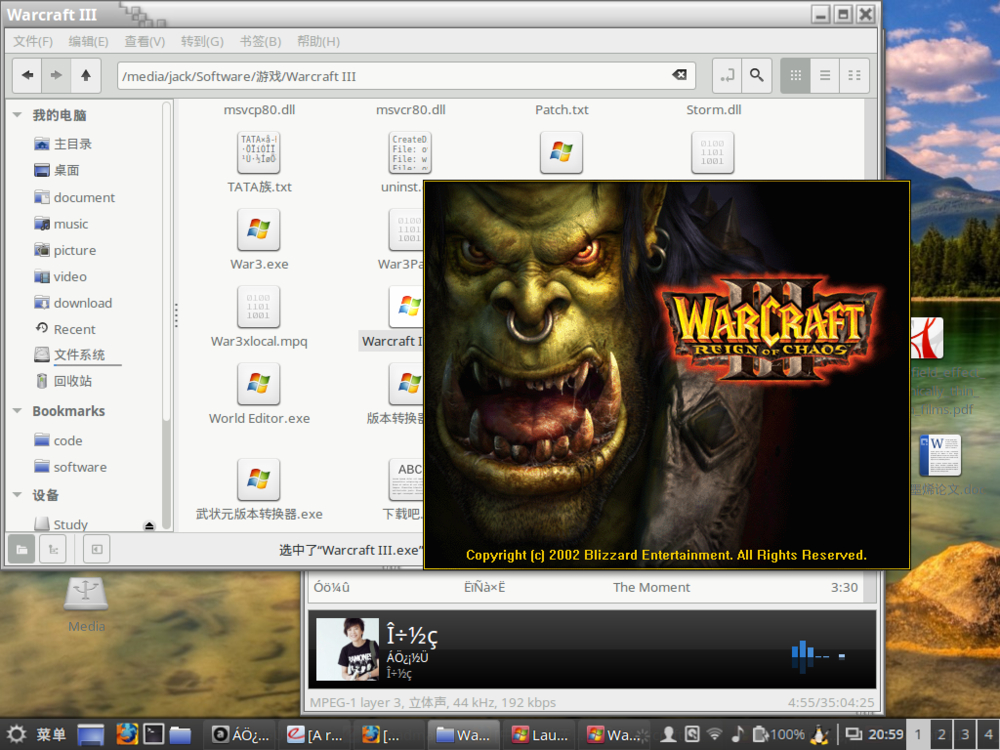

![[泪]](/static/emoticons/u6cea.png)




![[不高兴]](/static/emoticons/u4e0du9ad8u5174.png)