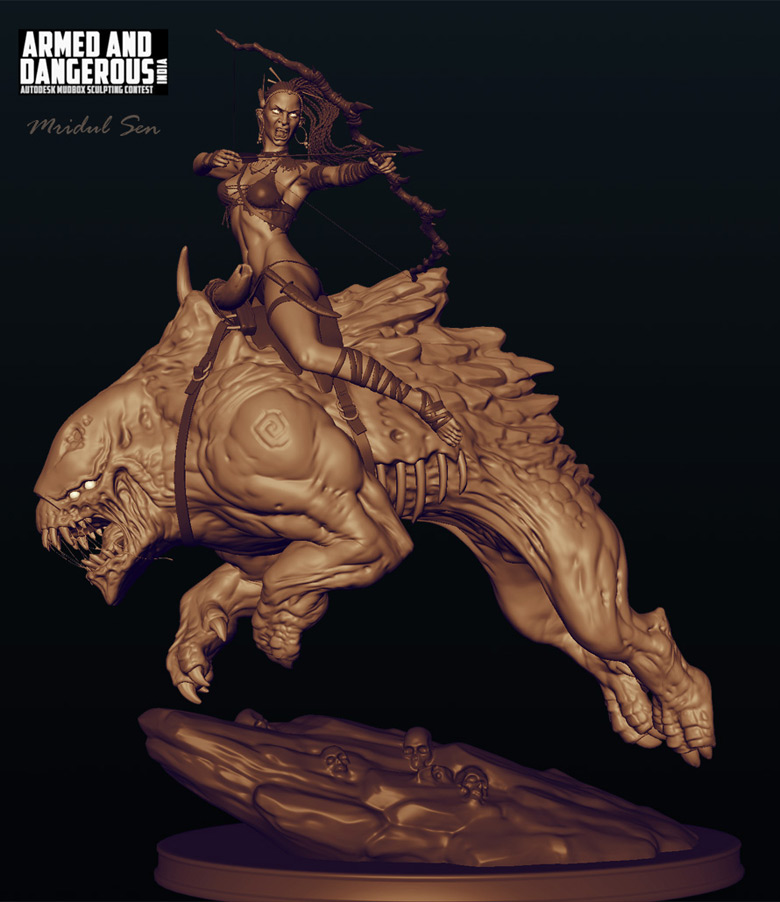
Mudbox 与 Maya 国外教程分享 Making of Queen of Death
mudbox吧
全部回复
仅看楼主
level 9
TaiShuai315 楼主

Making of Queen of Death by Mridul Sen, India
Before I start describing the making of "Queen of Death", I should mention when and why I created it. Few months back I participated in a competition called the "Autodesk Mudbox challenge". The theme was "Armed and Dangerous". I found that it was an interesting theme and challenging too as in this process I need to learn Mudbox which was almost new software to me.
Topics I will cover in the tutorial are:
1. Concept Design
2. Base mesh
3. Sculpting
4. Topology
5. UV layout
6. Re-Projection and Re-Sculpting
7. Texturing
8. Lighting
9. Rendering
10. Composition in Photoshop
CONCEPT DESIGN
I started processing the concept in my mind and came up with some ideas. For a long time, I had wanted to create a beast so I felt that this was a good time to give it a try.
One of my first ideas was a cute innocent child holding a lollipop in one hand and a giant horrible beast or creature on the other hand. I was about to finalize my concept and entitle the piece "My Cute Poppy".
2014年11月15日 20点11分 1
level 9
TaiShuai315 楼主
It was then that I realized that there was no weapon in my image (as per the theme it was necessary to have a weapon) and the child seemed too small to catch our eyes. Hence I decided to replace the child with an adult lady, where I would get some space to play with the armor and weapons. I took one of Mark Newman*s sculpted characters (for a quick rough idea of the look n feel) and placed it in my scene to see how it looked against my giant beast. I roughly sketched her clothes and hair and gave her a place-holder weapon.
2014年11月15日 20点11分 2
level 9
TaiShuai315 楼主
Now I felt fairly satisfied with the characters. I intended to go for an ancient mythological look and not so sci-fi or futuristic.
I started collecting more reference and finding out ways to make my composition look more live. One name that came to my mind is Frank Frazetta – He was one of my favorite artistes. I find his work very interesting in several aspects. Besides, he made his characters look so alive and his works are so dynamic that they always tell us a story.
Thus, I started thinking of framing my artwork in action, more expression and overall in more dramatic presentation.
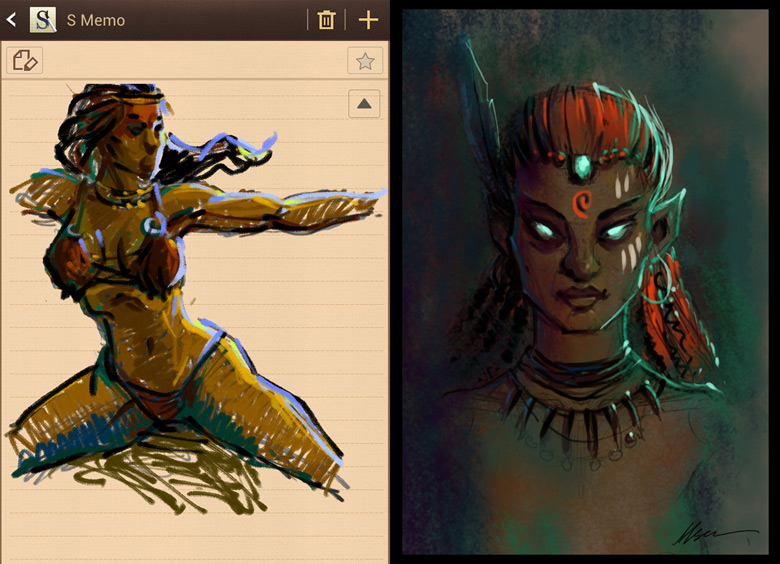
I started making rough sketches of my characters. I would scribble on a piece of paper or on my phone when I was not in front of my computer.
These are the sketches which I did quickly in my mobile (Samsung Note I) whenever something came to my imagination. It helped me a lot as I progressed further.
Note: I have observed many times that interesting images come to our mind unconsciously and when we least expect it. I recommend taking rough notes of them immediately, because they may prove valuable. Even just a rough sketch will help you not to forget. Later you can redefine it, as I did.
2014年11月15日 20点11分 3
level 9
TaiShuai315 楼主

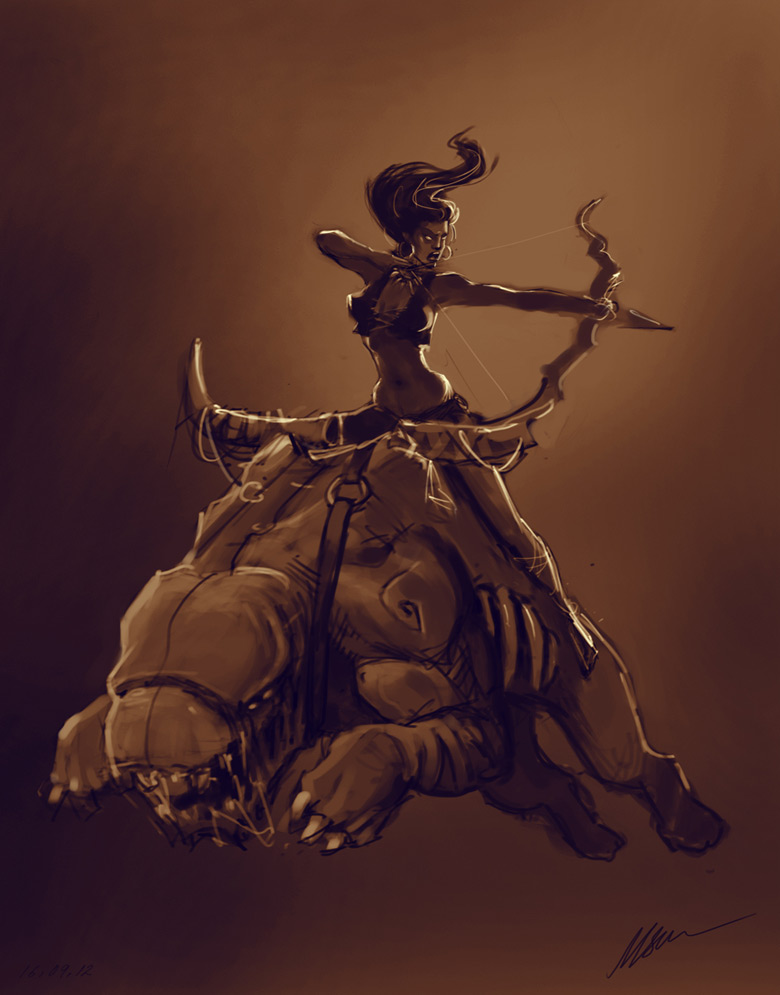
Below is a quick concept design of the whole idea.
Base Model for Beast
I created the base mesh for the beast character in Maya. As you can see, I tried to keep the mesh to quads as much as possible and also tried to give approximately equal spacing between the edge loops, which helps while sculpting in multi sub-division level. I didn*t give myself much time for the base mesh as I had already planned to go for re-topology after the basic sculpt.
2014年11月15日 20点11分 4
level 9
TaiShuai315 楼主
In the image below, I have managed to make some saddle space on the beast*s back. I seated a default human mesh that comes with Mudbox as a place holder on the back of the beast and sculpted the volumes around it accordingly. Also, I played with the proportions, pushed the back legs further and sculpted out more details till I felt it was ready to go for re-topology.
2014年11月15日 20点11分 5
level 9
TaiShuai315 楼主
Once I got the major volumes and details, I went ahead for re-topology. 50% of my topology was done in MAYA and the rest in TopoGun. Below is a WIP screenshot from TopoGun.
Here is a shot of the completed topology of the beast along with other assets which were pending. Also, as you may have noticed, I created separate mesh for the ribs to get better control and better lighting and shadow for the particular area.
Note: Re-Topology was important for me as I didn*t want to use a displacement map and I could give the desired pose for the character at any time I wanted.
2014年11月15日 20点11分 6
level 9
TaiShuai315 楼主

UV
I know that many artist don*t like to spent much time on UVs as it usually seems like a boring job and therefore use auto generated or random UV*s. Even though I would say that is okay, spending a little more time on UV layout may save lots of time later on in the Texturing stage.
I used a 4k map (4096x4096). As you can see below, I mirrored the UV shells and also tried to utilize as much space as possible in the 0 to 1 grid. This definitely made my job faster and easier while Texturing. I was able to spend more time on getting finer details on one side and then easily copy the same on the other side in Photoshop. So technically, I saved lots of time while getting better details. By using the maximum of your UV space, you will get more pixels to paint for your character.
2014年11月15日 20点11分 7
level 9
TaiShuai315 楼主

TRANSFERRING SCULPTED DETAILS
I transferred the sculpted details through Mudbox (transfer details) in the new retopologized and UV-ready model.
2014年11月15日 20点11分 8
level 9
TaiShuai315 楼主

Below is a close-up of her face topo and anatomy.
2014年11月15日 20点11分 10
level 9
TaiShuai315 楼主

Once I was done with the sculpting, it was time to design her costume and other related assets. I started with a screen grab of the sculpted Queen character and sketched out rough designs on separate layers in Photoshop. I love to work in this way as it saves lots of time and I can turn out more designs quickly. Directly starting on 3D might consume more time and also make it difficult to experiment with varieties so quickly.
Costume design in Photoshop made my job easy and I was able to quickly move on to modeling the base mesh of her clothes in Maya.
2014年11月15日 20点11分 11
level 9
TaiShuai315 楼主

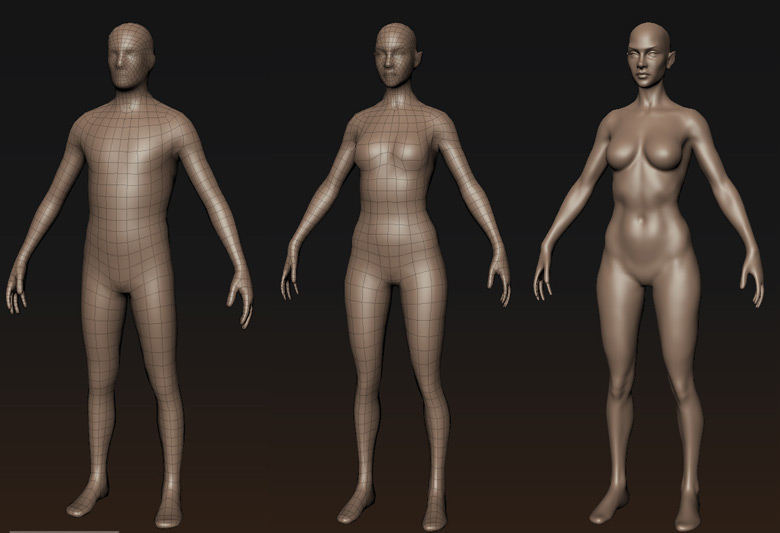
You can see that I started the base modeling of her clothes. At this point, I also modeled her basic facial expression and straightened her arms to give a standard riggable pose.
2014年11月15日 20点11分 12
level 9
TaiShuai315 楼主

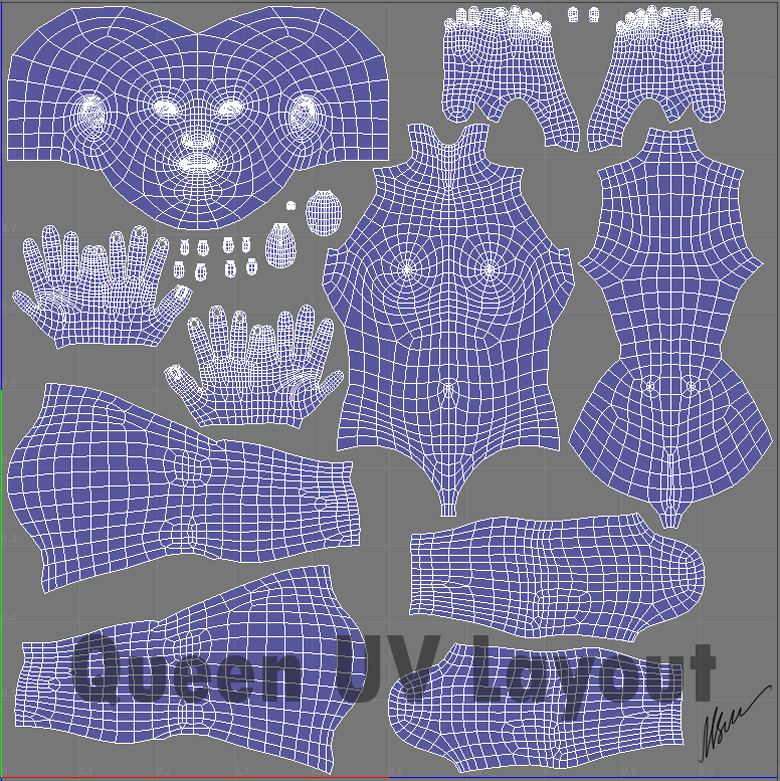
QUEEN*S UV LAYOUT
I planned to go for a single texture page for her skin instead of multiple texture pages. Again I tried to utilize the maximum UV space and placed each shell carefully to minimize wastage of space.
2014年11月15日 21点11分 13
level 9
TaiShuai315 楼主

PREPARING FOR THE FINAL POSE
At this stage my characters were ready for the action pose. I planned to model the rest of the pending props and sculpting details after I was done with the posing.
As Mudbox supports .fbx format and maya joints with skin weights, I did a very basic joint setup for my characters in Maya with painted weights. Then I exported it as .fbx and started experimenting with poses in Mudbox.
2014年11月15日 21点11分 14
level 9
TaiShuai315 楼主

Note: You can experiment with multiple poses in Mudbox and save them individually in the same Mudbox or .mud file. Above is a screen grab of the Poses tool menu in Mudbox.
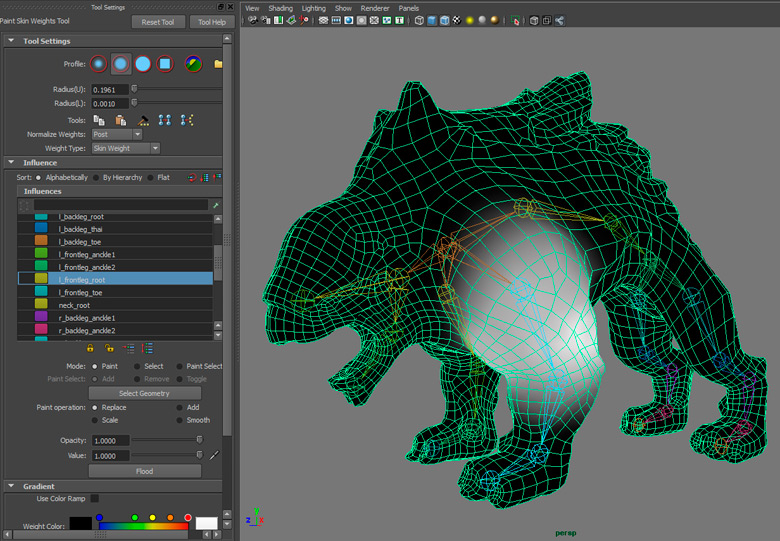
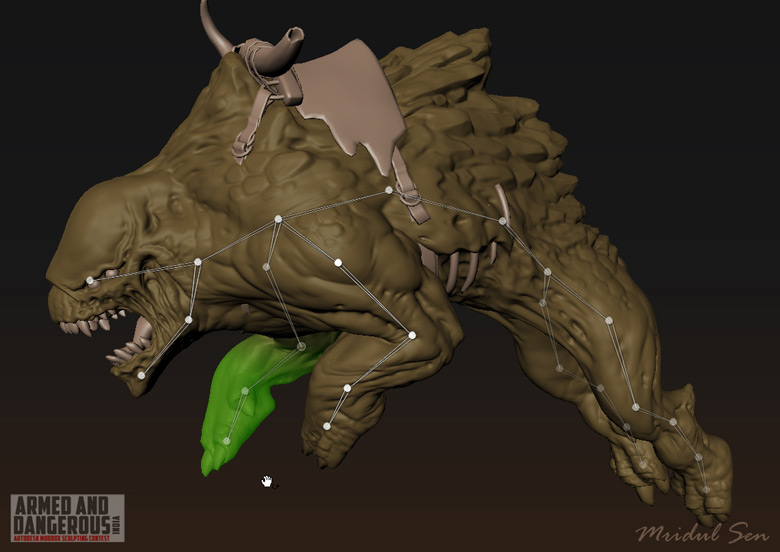
The above image shows the painted weights in MAYA and below is a pose made in Mudbox with the same skeleton.
2014年11月15日 21点11分 15
level 9
TaiShuai315 楼主

While posing the beast I referred a few images of leaping tigers collected from internet. Also I tried to give a feeling of heaviness for his body.
2014年11月15日 21点11分 16
level 9
TaiShuai315 楼主

Once I was done with the basic pose with the help of joints, I started re-sculpting it and fine-tuned a few areas.
2014年11月15日 21点11分 17
level 9
TaiShuai315 楼主

To showcase more aggression, force and body strength, I tried focusing on the silhouette and the overall curve of the body. I also straightened a few of the body parts like neck, the line from shoulder to elbow etc. The below image will make my points clearer.
Breaking the symmetry also is important to give a natural and lively look.
2014年11月15日 21点11分 18
level 9
TaiShuai315 楼主

I had to stop at the 6th subdivision level as there were a lot more assets to come which would require a lot of memory.
DESIGNING THE BOW AND ARROW
The Queen*s weapon was still pending, so I again started with a rough concept for it, then modeled the base mesh in Maya and sculpted in Mudbox as shown in the image.
2014年11月15日 21点11分 19
level 9
TaiShuai315 楼主

POSING THE QUEEN CHARACTER
I did the basic rigging for the queen in MAYA and posed her in Mudbox, using the same techniques that I used for the Beast.
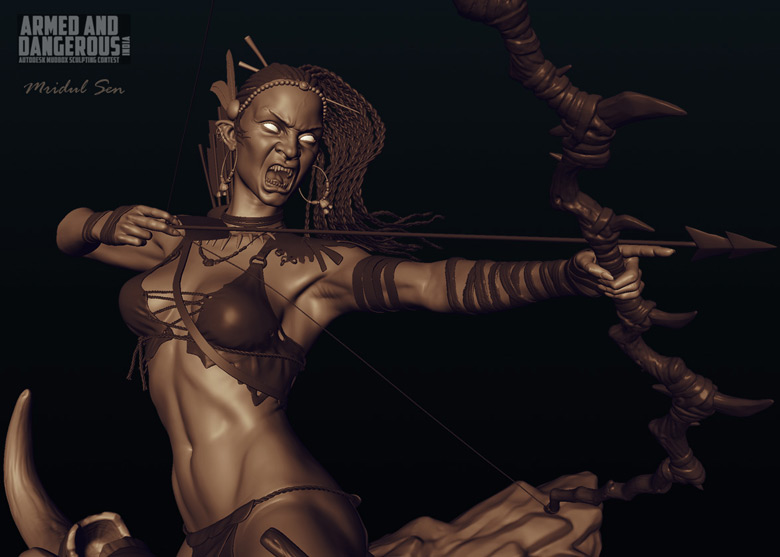
To avoid a boring and flat pose I conciously tried not to make her look as if she is posing for the camera. Aggressive expression, bent and twisted torso, tilted Bow, flowing hair braids etc played a very vital role in her overall pose.
2014年11月15日 21点11分 20
level 9
TaiShuai315 楼主

TEXTURING THE BEAST
Mudbox is an extremely flexible tool for texturing as you can have more than one layer with multiple blending options just like Photoshop. You can have more than one map like Color, Specular, Bump etc. at the same time. Also, you can switch to Photoshop at any time with the help of "Export screen to PSD" and get back in Mudbox with "Re-Import from PSD" to continue painting in 3D viewport.
Beast Texture
As I hadn*t prepaired any color concepts for the beast, I didn*t have much idea about the exact texture that I wanted for the Beast. Hence, I started experimenting and played with various color combinations and slowly got a direction to go forward. Below I have given some WIP images to show how I progressed.
Step 1 – I started blocking out with reddish tint but I felt that it wasn*t so interesting.
2014年11月15日 21点11分 21
1 2 尾页