package com.example.test1;
import java.io.IOException;
import android.app.Activity;
import android.media.MediaPlayer;
import android.media.MediaRecorder;
import android.os.Bundle;
import android.os.Environment;
import android.util.Log;
import android.view.View;
import android.view.View.OnClickListener;
import android.widget.Button;
public class MainActivity extends Activity {
private static final String LOG_TAG = "AudioRecordTest";
//语音文件保存路径
private String FileName = null;
//界面控件
private Button startRecord;
private Button startPlay;
private Button stopRecord;
private Button stopPlay;
//语音操作对象
private MediaPlayer mPlayer = null;
private MediaRecorder mRecorder = null;
/** Called when the activity is first created. */
@Overridepublic void onCreate(Bundle savedInstanceState) {
super.onCreate(savedInstanceState);
setContentView(R.layout.activity_main);
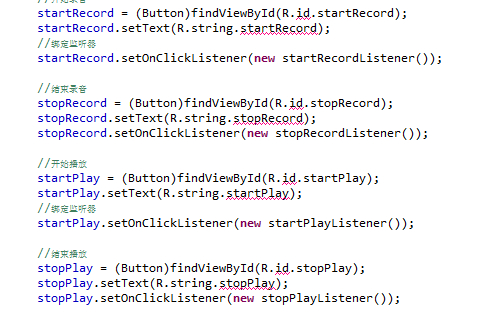
//开始录音
startRecord = (Button)findViewById(R.id.startRecord);
startRecord.setText(R.string.startRecord);
//绑定监听器
startRecord.setOnClickListener(new startRecordListener());
//结束录音
stopRecord = (Button)findViewById(R.id.stopRecord);
stopRecord.setText(R.string.stopRecord);
stopRecord.setOnClickListener(new stopRecordListener());
//开始播放
startPlay = (Button)findViewById(R.id.startPlay);
startPlay.setText(R.string.startPlay);
//绑定监听器
startPlay.setOnClickListener(new startPlayListener());
//结束播放
stopPlay = (Button)findViewById(R.id.stopPlay);
stopPlay.setText(R.string.stopPlay);
stopPlay.setOnClickListener(new stopPlayListener());
//设置sdcard的路径
FileName = Environment.getExternalStorageDirectory().getAbsolutePath();
FileName += "/audiorecordtest.3gp";
}
//开始录音
class startRecordListener implements OnClickListener{
@Override
public void onClick(View v) {
// TODO Auto-generated method stub
mRecorder = new MediaRecorder();
mRecorder.setAudioSource(MediaRecorder.AudioSource.MIC);
mRecorder.setOutputFormat(MediaRecorder.OutputFormat.THREE_GPP);
mRecorder.setOutputFile(FileName);
mRecorder.setAudioEncoder(MediaRecorder.AudioEncoder.AMR_NB);
try {
mRecorder.prepare();
} catch (IOException e) {
Log.e(LOG_TAG, "prepare() failed");
}
mRecorder.start();
}
}
//停止录音
class stopRecordListener implements OnClickListener{
@Override
public void onClick(View v) {
// TODO Auto-generated method stub
mRecorder.stop();
mRecorder.release();
mRecorder = null;
}
}
//播放录音
class startPlayListener implements OnClickListener{
@Override
public void onClick(View v) {
// TODO Auto-generated method stub
mPlayer = new MediaPlayer();
try{
mPlayer.setDataSource(FileName);
mPlayer.prepare();
mPlayer.start();
}catch(IOException e){
Log.e(LOG_TAG,"播放失败");
}
}
}
//停止播放录音
class stopPlayListener implements OnClickListener{
@Override
public void onClick(View v) {
// TODO Auto-generated method stub
mPlayer.release();
mPlayer = null;
}
}
}



![[狂汗]](/static/emoticons/u72c2u6c57.png) 。。。
。。。