【交流】如何游戏窗口化并可以随时变速
春天三国吧
全部回复
仅看楼主
level 15
mryongchun
楼主
2011年04月20日 01点04分
1
level 15
mryongchun
楼主
还是重复发后三国吧的老贴,莫拍砖
2011年04月20日 01点04分
2
level 15
mryongchun
楼主
全屏游戏对于上班族来说,貌似有点太明目张胆了。
幸好群英2的游戏可以窗口化,
2011年04月20日 01点04分
3
level 15
mryongchun
楼主
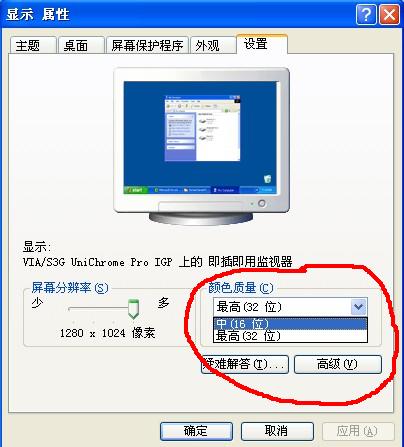
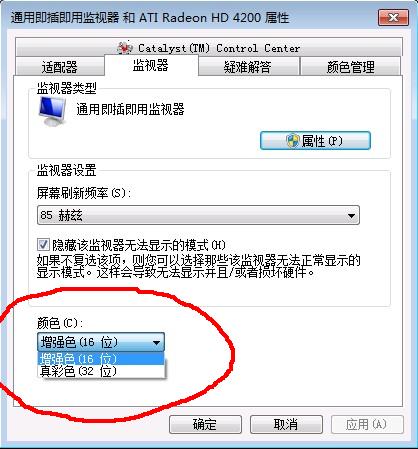
窗口化的前提:桌面需设置成中16位色
2011年04月20日 01点04分
4
level 15
mryongchun
楼主
XP系统下的中16位色设置
桌面上右键【属性】
设置
2011年04月20日 01点04分
5
level 15
mryongchun
楼主
2011年04月20日 01点04分
6
level 15
mryongchun
楼主
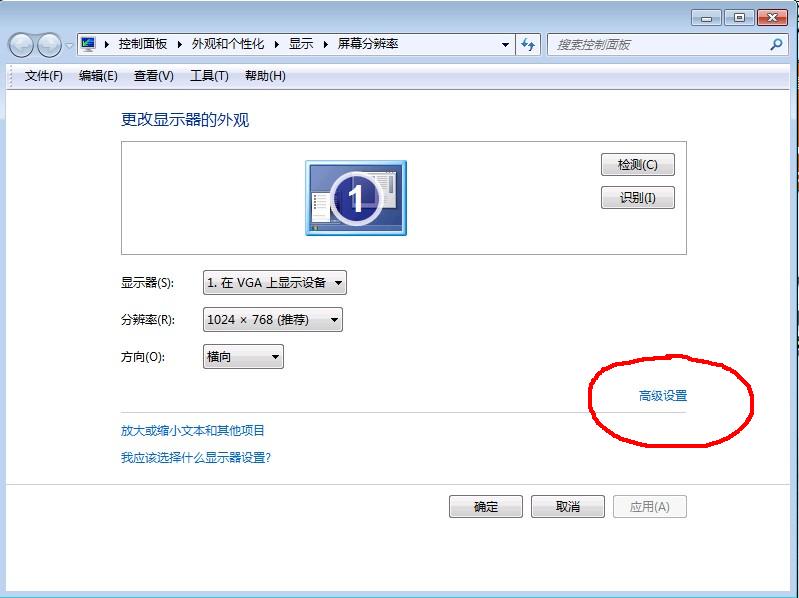
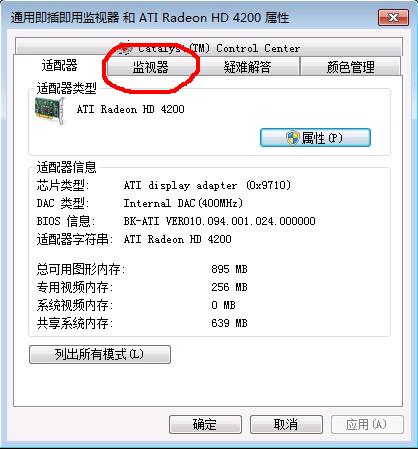
再来说说WIN7系统的中16位色设置
桌面上右键 【屏幕分辨率】
2011年04月20日 01点04分
7
level 15
mryongchun
楼主
2011年04月20日 01点04分
8
level 15
mryongchun
楼主
2011年04月20日 01点04分
9
level 15
mryongchun
楼主
好,桌面16位色设置完毕。
下面说游戏的窗口化和变速。
2011年04月20日 01点04分
10
level 15
mryongchun
楼主
窗口化和变速可同时实现,
借助变速齿轮即可
提供个人上传的115下载地址
http://u.115.com/file/f885e66803
2011年04月20日 01点04分
11
夜こ幽冥
下载不了
2016年05月19日 13点05分
level 15
mryongchun
楼主
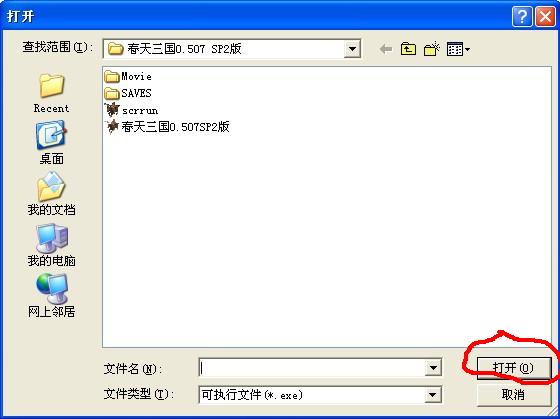
变速齿轮首次运行
点击红圈的地方
2011年04月20日 01点04分
12
level 15
mryongchun
楼主
找到自己要运行的群英2游戏,打开
2011年04月20日 01点04分
13
level 15
mryongchun
楼主
上面打开后,就会全屏直接进入游戏,没关系,游戏结束即可
2011年04月20日 01点04分
14
level 15
mryongchun
楼主
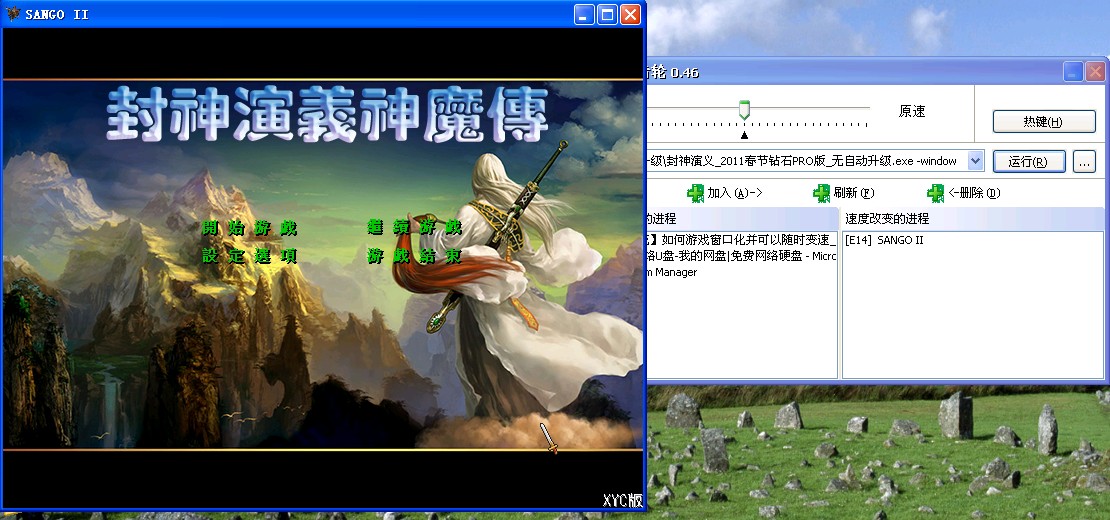
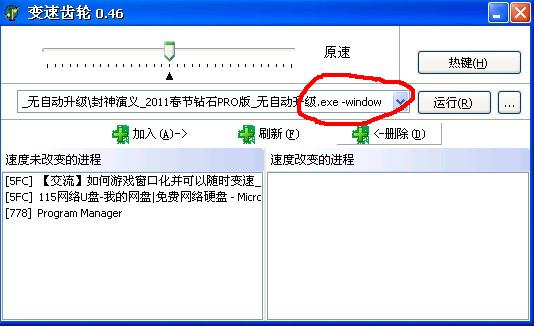
如红圈标注
这时候只需要在 exe 的后面输入【空格-window】,再点运行即可窗口化
2011年04月20日 01点04分
15
level 15
mryongchun
楼主
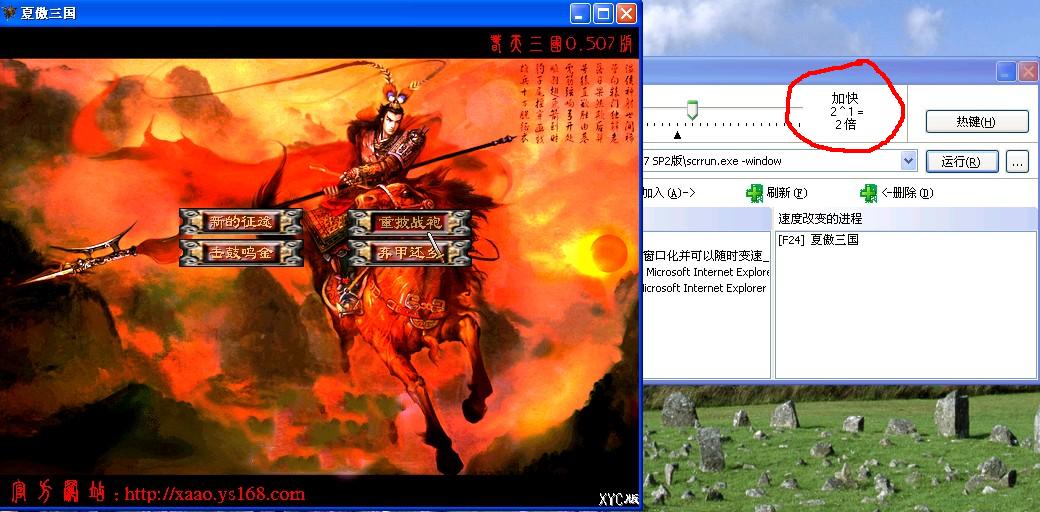
效果,可直观的查看游戏的变速情况
2011年04月20日 01点04分
16
level 15
mryongchun
楼主
随时利用小键盘上的 + - 进行加速、减速
2011年04月20日 01点04分
17
level 15
mryongchun
楼主
最后友情提示:
WIN7下运行变速齿轮,可是要右键【以管理员方式运行】的
发贴完毕,闪人
2011年04月20日 01点04分
18
level 5
藏陋网友
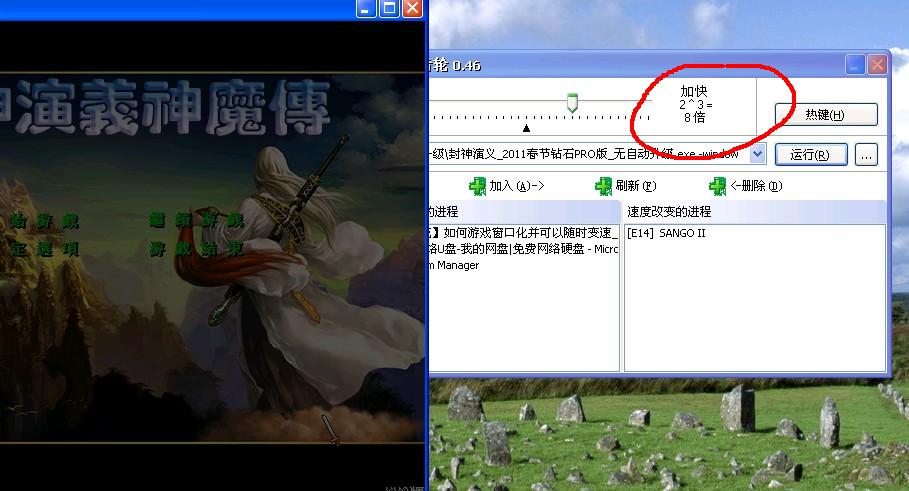
封神还是可以实现的。。。
可惜啊,春天0.507只能窗口化和加速,不能随时变速~
2011年04月20日 02点04分
19
level 15
mryongchun
楼主
回复:19楼
看来无图无真相,看图
现在2速
2011年04月20日 02点04分
20
1
2
3
4
5
6
尾页






![[Yeah]](/static/emoticons/Yeah.png)